BitMedia.io is still one of the best-known crypto ad networks in 2026, and it has grown well beyond a simple Bitcoin banner exchange. Publishers with crypto, finance or Web3 traffic can earn on both CPC and CPM, set their own CPM floor, and withdraw in BTC from just $20. Advertisers get a self-serve platform with Web3 wallet targeting, Telegram ads and an influencer marketplace.
Quick verdict: a strong choice if you run a quality crypto or finance website. It is not a good fit for general blogs, faucet-style sites or anyone who wants to be paid in USD or stablecoins.

If you are comparing networks in this niche, also see our CoinTraffic review and Coinzilla review.

What is BitMedia.io?
BitMedia.io is a self-serve advertising network run by Bitmedia LTD, a UK company operating since 2014 and a member of IAB UK. It started as a Bitcoin ad network and now serves crypto, Web3, finance, fintech, SaaS, gaming and iGaming brands.
According to its homepage, the network delivers 1.5 billion+ monthly impressions and 1.5 million+ monthly clicks, with 550+ active publishers and 200+ advertisers. Advertisers include large exchanges such as Binance, Kraken, OKX and Bybit, and publishers include well-known crypto news sites like Bitcoinist, NewsBTC and 99Bitcoins.
Beyond banner ads, BitMedia now also offers Web3 wallet targeting, Telegram ads, header bidding via Prebid.js, sponsored articles and an influencer marketplace.
Key Features of BitMedia.io
BitMedia has added a lot of tools over the years. These are the features that matter most for publishers and advertisers in 2026.
For publishers
- CPC and CPM monetization: you earn from both click-based and impression-based campaigns, so your traffic is never limited to one pricing model.
- CPM floor: you can apply for a minimum price per 1,000 impressions on each ad unit. Advertisers bidding below your floor are filtered out, which protects your rates.
- Backup ads: when no BitMedia ad matches, your unit can show a transparent block, a colour fill, Google AdSense, or your own HTML or JavaScript code. This means unsold inventory still has value.
- Direct ads: you can sell space directly to an advertiser and run that campaign inside your existing BitMedia ad units, with the highest priority if you choose. You keep control of the price, volume and duration.
- Marketplace listings: publishers can list sponsored placements or articles on the BitMedia marketplace and get paid in crypto when advertisers order them.
- Category blocking: you can exclude more than 25 advertiser categories, such as gambling, betting, adult, ICO, HYIP, lottery and political ads, and even exclude specific countries within a category.
- Header bidding: BitMedia supports header bidding through Prebid.js, letting it compete with other demand sources on your pages.
- App monetization: Android and iOS apps can join, using adaptive ad units that resize to the screen.
- Near real-time stats: your dashboard updates every 1 to 15 minutes and shows impressions and earnings for each ad position, day by day.
For advertisers
- Self-serve dashboard: create, fund and optimize campaigns yourself, with smart bidding to help find the right price.
- Web3 wallet targeting: BitMedia assigns an anonymous ID when users connect a crypto wallet. It then segments audiences by wallet holdings and on-chain activity, so you can reach real crypto users rather than general web traffic.
- Multi-layer anti-fraud: clicks are checked automatically by a custom system, and the anti-fraud team reviews most clicks manually. Fraudulent clicks are refunded.
- Conversion tracking: use the BitMedia pixel or server postback to measure sign-ups, deposits and other actions.
- API and OpenRTB: manage campaigns and pull statistics through the API, or connect programmatically via OpenRTB 2.5.
- KOL and PR marketplace: buy Telegram community posts, X and YouTube influencer promotions, and sponsored or press-release articles on crypto news sites.
BitMedia.io Publisher Requirements
BitMedia reviews every site manually and is known for being strict. Your site has the best chance if it meets these rules from its official approval criteria:
- Niche: Bitcoin and crypto sites are preferred. Non-crypto sites are reviewed case by case and need a lively audience and a suitable topic.
- Real content: the site must be finished, easy to navigate and regularly updated. A new site with only two fresh articles will be rejected.
- Organic traffic only: no paid-to-click, paid-to-surf, autosurf, click exchanges or spam email traffic.
- No click encouragement: no arrows pointing at ads and no phrases like “click on ads” or “support our website”. Labels such as “Sponsors” or “Advertisements” are fine.
- No bad site behaviour: no redirects, forced downloads, malware, or sites built only to show ads.
- Prohibited content: adult, violent, illegal, drug-related, hateful or dangerous content is not accepted.
- Placement limits: up to 3 ad blocks per visible screen area; ads cannot go in pop-ups, pop-unders, iframes, emails or software.
- Apps: Google Play and App Store apps can also apply.
How To Join The BitMedia.io?
- Go to bitmedia.io and click Sign up. Enter your details and create an account.
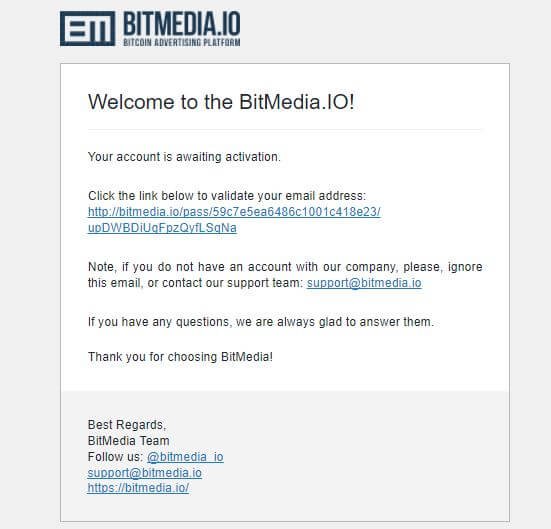
- Confirm your email using the activation link. If it doesn’t arrive, check spam or contact support.
- Fill in the publisher request form with your site URL, category, language and a description of your site and audience. Be accurate: approval depends heavily on this form.
- Wait for review. Requests are usually processed in 1–2 business days.
- Once approved, create an ad unit in your dashboard, copy the code and paste it into your site’s HTML.
- Set up backup ads (transparent, colour fill, AdSense or your own HTML/JS) so unsold impressions are not wasted.
After your first site is approved, you can add more sites from the same account. If you are rejected, you can fix the issues and re-apply.
How to Add a BitMedia Ad Unit
Once your site is approved, placing your first ad takes only a few minutes:
- Log in and open the Ad Units (blocks) section of your publisher dashboard.
- Choose the banner type and size that best fits your layout. Popular choices are 728×90 for headers, 300×250 for sidebars and in-content spots, and 320×50 for mobile.
- Click Get Block Code and copy the code to your clipboard.
- Open your site’s HTML, or the widget or header area in WordPress or your site builder.
- Paste the code where you want the ad to appear and save the changes.
- Edit the unit and choose a backup ad type so empty slots are still filled.
BitMedia works on any site builder that lets you add HTML markup. Note that iframes are not allowed, so paste the code directly rather than wrapping it.
Tips to Get Approved on the First Try
Many publishers are rejected because their site doesn’t look ready yet. These steps improve your chances:
- Publish enough content first. BitMedia explicitly rejects new sites with only a couple of recent articles. Aim for a solid library of original, useful posts before applying.
- Keep a clear crypto or finance focus. Sites about Bitcoin, trading, DeFi, Web3 or fintech fit naturally. A mixed-topic blog has a much lower chance.
- Use a proper domain and hosting. Free subdomains and unfinished templates look low-quality to reviewers.
- Remove aggressive ads. Pop-ups, pop-unders, redirects and pages packed with banners are a fast route to rejection.
- Show real, organic traffic. Traffic from search, social and direct visits is welcome; paid-to-click, autosurf and incentive traffic is not.
- Write an honest, detailed description. Explain your topic, audience and main traffic sources in the publisher form. Vague answers raise doubts.
- Check your site behaviour. Make sure there are no forced downloads, malware warnings, or settings that change without the user’s permission.
If you are rejected, read the reason, fix the issues and apply again. BitMedia allows re-applications.
Earnings, Payments and Ad Formats
How you earn: you are paid per valid click on CPC campaigns or per 1,000 valid impressions on CPM campaigns. Only viewable impressions count, so ads placed far below the fold earn less. BitMedia keeps a commission, usually 10–20% and occasionally up to 30%, depending on your account level and site quality.
CPM floor: you can apply for a minimum CPM per ad unit, which filters out low-paying advertisers. This floor is BitMedia’s main edge for publishers.
Payments:
- Minimum withdrawal: $20 (paid in BTC)
- Payout currency: Bitcoin only, no withdrawal fees
- Pending period: earnings sit in a pending balance for 7 days while traffic quality is checked
- Payout time: usually within 7 days of your withdrawal request
Ad formats: image banners (static and GIF), text ads, HTML5 banners, responsive ads, sticky ads, in-app ads and Telegram ads. BitMedia added interactive playable ads in October 2026. Common sizes include 728×90, 300×250, 160×600, 300×600 and 320×50.
Ad control: you can block whole advertiser categories on your site, including gambling, betting, adult, airdrops, ICOs, HYIP and political ads.
How to Maximize Your BitMedia Earnings
Your income depends on what advertisers bid for your audience, so small changes in setup can make a real difference.
- Apply for a CPM floor. Click “Apply to set CPM floor” in your publisher account. A floor stops cheap campaigns from filling your best placements. In a Bitcoinist comparison of three crypto networks, the floor was the main reason BitMedia paid the most.
- Enable CPM traffic. CPM is not always on by default. Ask support or your account manager to enable it so you earn from impressions, not just clicks.
- Place ads above the fold. Only viewed impressions count. A banner at the very bottom of a long page may barely register.
- Use up to three units per screen. BitMedia allows three blocks per visible area. Mix a header banner, an in-content unit and a sidebar or sticky unit.
- Choose high-demand sizes. 300×250, 728×90 and 300×600 attract the most campaigns. Add 320×50 or 320×100 for mobile visitors.
- Set backup ads. Fill unsold impressions with AdSense or another network so no slot goes empty.
- Grow Tier-1 traffic. Advertisers often bid more for visitors from the US, UK and Western Europe.
- Don’t over-block categories. Blocking many categories reduces competition for your inventory. Exclude only what truly conflicts with your audience.
- Sell direct deals. If a project wants a fixed placement, run it as a direct ad inside your BitMedia unit or list it on the marketplace.
- Refer others. The affiliate program adds a monthly share of referred users’ activity on top of your ad income.
Never click your own ads or ask visitors to click. BitMedia can fine or ban accounts for this, and the money goes back to advertisers.
BitMedia.io at a Glance
| Detail | BitMedia.io |
|---|---|
| Ad network type | CPC and CPM |
| Ad formats | Image, text, HTML5, responsive, sticky, in-app, Telegram, playable |
| Minimum payout | $20 (in BTC) |
| Payment method | Bitcoin only |
| Payment frequency | On request; pending 7 days, then paid within ~7 days |
| Publisher commission taken | Usually 10–20% |
| Accepted websites | Crypto/Web3 preferred; others reviewed case by case; apps accepted |
| Approval time | 1–2 business days |
| Referral program | 5–10% for individuals, from 15% for companies |
| Advertiser minimum deposit | $300 (no minimum for BTC) |
| Contact | support@bitmedia.io |
| Social | X, Telegram, LinkedIn |
| Official website | bitmedia.io |
BitMedia.io for Advertisers
Advertisers can launch CPC or CPM campaigns from a self-serve dashboard. Minimum bids start at $0.25 per click and $0.30 CPM. The minimum deposit is $300, which does not apply to BTC deposits; you can fund in BTC, USD, USDT, BNB, TRX or ETH, or by card and bank transfer.
Targeting covers country, language, device, OS, VPN users and Web3 audiences based on anonymised wallet activity. Retargeting, frequency capping, site whitelists and blacklists, conversion tracking via pixel or postback, an API and OpenRTB 2.5 are all available.
A few more details are useful before you start a campaign:
- Ad formats and sizes: advertisers can upload static images (JPG or PNG up to 200 KB), animated GIFs (up to 400 KB), HTML5 banners (ZIP up to 3 MB) and responsive ads. BitMedia’s designers can also create banners for you.
- Banner approval: creatives are usually reviewed within a few hours, or up to 24 hours on weekends and holidays.
- Packages: curated bundles of high-converting sites, grouped by project type, start from $100 per day.
- Budget pacing: available for budgets over $50 to spread spend evenly across your chosen period.
- Placement control: whitelist the countries and sites that convert, and blacklist those that don’t.
- Refunds: money is returned for fraudulent or incentivized clicks, but not for low conversion rates.
- Inactive accounts: accounts unused for six months are deactivated automatically, so keep an eye on older balances.
The KOL marketplace lets you go beyond banners. You can order Telegram community posts, X, YouTube, TikTok and Instagram influencer promotions, and PR or sponsored articles. Standard lengths are roughly 450–600 words for press releases, 800–1,000 for sponsored articles and 1,000–1,200 for organic articles.
Referral Program
BitMedia’s affiliate program pays a share of referred users’ activity, monthly. Individuals earn 7% initially (10% after 10+ referrals), dropping to 5–7% on older referrals. Corporate partners start from 15%.
Pros and Cons
Pros
- Low $20 minimum payout
- CPC and CPM, plus a publisher-set CPM floor
- Big-name crypto advertisers and steady demand
- No withdrawal fees
- Accepts apps as well as websites
- Strong anti-fraud checks protect ad quality
Cons
- Payouts in BTC only, so earnings move with the Bitcoin price
- Strict approval; new or general-niche sites are often rejected
- 7-day pending period before funds can be withdrawn
- Some publishers report bans without a clear reason
On Trustpilot, BitMedia holds a 3.5/5 TrustScore from around 147 reviews. Long-term publishers praise reliable payouts, while complaints mostly concern account bans and the lack of stablecoin payouts.
Is BitMedia.io Safe and Legit?
Yes, BitMedia is a long-running, legitimate business. It has operated since 2014 under Bitmedia LTD, is listed in the IAB UK member directory, and works with some of the biggest names in crypto. Many publishers on Trustpilot report receiving payments for several years without trouble.
The risks are mostly about its strict rules. BitMedia says unusual click-through patterns combined with low impression volumes can trigger a review. If you receive a warning, you must reply within 24 hours and fix the problem within 48 hours, or the account can be banned permanently. Read the publisher terms carefully and keep your traffic clean.
The other risk is currency. Because publishers are paid only in Bitcoin, the value of your earnings can rise or fall between payout and conversion. Several publishers have asked for USDT or USDC payouts, and BitMedia has said it understands the request, but BTC remains the only option for now.
Who Should Use BitMedia.io?
BitMedia is a good fit if you:
- Run a crypto news, trading, DeFi, Web3 or finance website with original content
- Have steady organic traffic, especially from Tier-1 or Tier-2 countries
- Are comfortable receiving and managing Bitcoin
- Want to earn from both clicks and impressions with control over minimum rates
- Own a crypto app and want banner monetization that follows app store policies
Look elsewhere if you:
- Have a brand-new site with little content or traffic
- Run a general blog, faucet or incentive site
- Rely on pop-unders, redirects or other aggressive formats
- Need payouts in USD, bank transfer or stablecoins
Conclusion
BitMedia.io remains a top pick for crypto and finance publishers in 2026. The CPM floor, low $20 payout and premium crypto advertisers make it one of the better-paying options in the niche. The main downsides are BTC-only payouts and strict approval rules.
If you run a quality crypto website with organic traffic, BitMedia is well worth applying to. If your site is new or outside the crypto niche, try A-Ads or CoinTraffic first.
FAQ
Is BitMedia.io legit? Yes. It has operated since 2014, is a member of IAB UK and works with major exchanges. Like any network, it can ban accounts that break its rules.
What is BitMedia’s minimum payout? $20, paid in Bitcoin.
Does BitMedia pay for impressions? Yes. Publishers earn on both CPM and CPC campaigns.
Does BitMedia accept non-crypto websites? Sometimes. Non-crypto sites are reviewed individually and need good, real traffic.
How long does approval take? Usually 1–2 business days.
Are there withdrawal fees? No. BitMedia does not charge publishers a withdrawal fee.
How long does a withdrawal take? Earnings first wait 7 days in a pending balance. After you request a withdrawal, BTC usually arrives within a maximum of 7 days.
Can I add more than one website? Yes. Once your first site is approved, you can submit as many additional sites as you like from the same account.
Can I control which ads appear on my site? Yes. You can block advertiser categories and countries, and you can refuse any specific advertisement.
Can I click my own ads to test them? No. Self-clicks count as fraud. Contact support if you need to test something.
Why are my impressions lower than on other networks? BitMedia counts only viewable impressions. Ads that visitors never scroll to are not counted.
Can a publisher also advertise? Yes. The same account can run ad campaigns without creating a new one.