Every few months I get restless with how my site is making money and start testing another ad network.
Most of them end the same way. I sign up, the numbers underwhelm, I rip the code out a week later and go back to what I had.

So when I added Mondiad to the rotation, I went in fully expecting to write it off like all the others.
I didn’t. It stuck around long enough that I’ve got real opinions about it now — good ones and annoyed ones.
This isn’t a spec sheet you can copy off twenty other blogs. This is what it’s actually like to sign up, stare at the dashboard, flip formats on and off, and watch what happens to your own visitors when you do.
If you’re deciding whether to hand Mondiad your traffic, this is the version I wish I’d read first.
First, what Mondiad even is
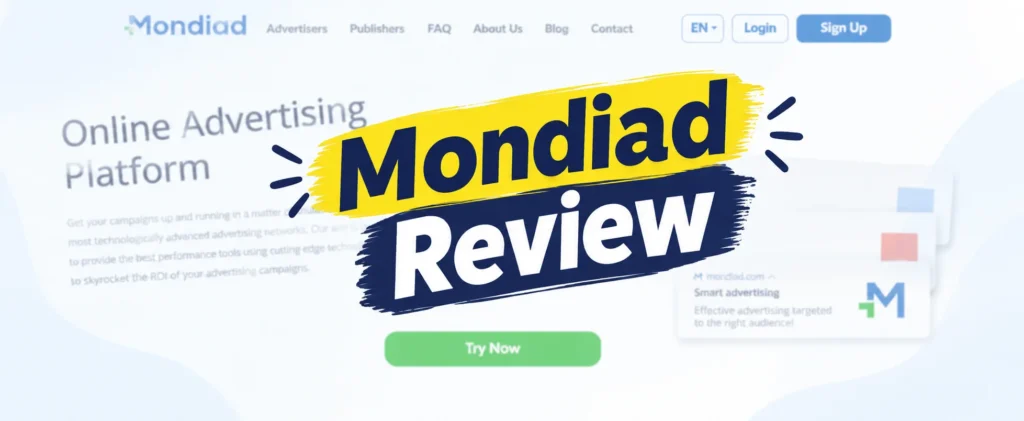
In plain terms, Mondiad is an ad network that sits between advertisers who want to buy traffic and publishers like me who want to sell it.
I put ad zones on my site. Advertisers bid to show ads to my visitors. When those ads get impressions and clicks, I get a cut.
That’s the same basic deal every ad network offers. The differences are in the details — which formats they give you, which traffic they accept, how the dashboard works, how fast they pay, and whether the whole thing feels trustworthy.
It’s a self-serve platform, which means nobody holds your hand. You set things up yourself. That’s freedom if you know what you’re doing and a small hill to climb if you don’t.
It also comes from the team behind PopCash, a network that’s been around for over a decade. I’ll be honest: that’s the main reason I trusted it enough to try. A brand-new network with no track record makes me nervous about ever getting paid. This one had history.
Signing up (and the one thing that bugged me)
Registration is fast. Email, password, pick whether you’re here to buy or sell, and you’re in.
There’s no week-long approval circus like some premium networks put you through. I appreciated that.
I added my site, submitted it, and it got approved the same day. From what I can tell, domain review is quick during normal working hours.
The one time it dragged was a weekend. I added a second site on a Sunday and it just sat there for hours before it went through. So if you sign up on a Saturday and nothing happens, don’t panic — it’s probably just the clock.
Here’s the thing that mildly bugged me at the start.
Mondiad is clearly built by people who live in the performance-marketing world. It throws around terms like ZoneID, SubID, CPC, and target CPA and assumes you already know them.
If you’re coming straight from AdSense — where you paste one code and forget about it — there’s a “wait, what am I looking at” moment.
It passes quickly. But it’s real, and nobody warns you about it, so consider yourself warned.
The dashboard: what it’s like to actually live in it
This is the part I most wanted to talk about, because the dashboard is where you spend all your real time. Most reviews just say “clean interface” and move on. That tells you nothing.
So here’s my honest read after using it every day for weeks.
The desktop dashboard is good to work in. Not gorgeous, but functional in the way that matters.
When you log in, you land on your numbers. The stuff a publisher actually cares about is right there without digging: impressions, clicks, revenue, eCPM.
Better than that, you can slice those numbers. By country. By ad zone. By device.
That breakdown became the single most useful thing on the whole platform for me. It’s the reason I stopped guessing and started making decisions.
Let me explain what I mean, because this is where a dashboard earns its keep.
Within about a week of running it, the reports taught me something I hadn’t fully understood about my own site.
My traffic was not one thing.
My desktop visitors and my mobile visitors behaved like two completely different audiences, worth two completely different amounts.
And my top few countries were carrying almost all the revenue, while a long tail of cheap-GEO traffic was padding my impression count and earning close to nothing.
You never feel any of that when you’re staring at a single “total revenue” number at the top of the page.
You feel it the second you sort a zone report by country and go, “oh.”
That “oh” is the whole point of a good dashboard. Not that it’s pretty — that it shows you where the money is actually coming from so you can stop wasting effort on the parts that don’t pay.
Now the frustrating part, because it’s not all praise.
The mobile version of the dashboard is clunky. Checking stats on my phone is noticeably worse than on desktop.
Columns get cramped. Numbers are harder to read. I kept catching myself just waiting until I was back at my laptop to make any real call.
If you’re someone who runs their whole business from a phone, lower your expectations there. It works, but it’s not where you want to be doing analysis.
Going through the ad formats, one by one
Mondiad gives you more than push, which honestly surprised me given its reputation as a push-first network.
What’s on the menu: classic push, in-page push, native, banner, dynamic (the sticky kind), and interstitials (the full-screen kind).
Let me walk through each one the way it actually landed on my site — not the way the sales page describes it.
Classic push
This was my obvious starting point.
Once a visitor opts in, the ads keep reaching them even after they’ve left your site. That’s the whole appeal, and it’s a real one.
The catch nobody tells beginners: this only earns if you’re actually building a subscriber base, and that base takes time to grow.
Week one felt underwhelming. I almost gave up on it. Then the subscriber pool grew and it got more interesting.
Patience is the price of entry with classic push. Don’t judge it on day three.
In-page push
This ended up being my favorite, and it’s the one I’d point a brand-new user to first.
It looks like a push notification, but it sits inside the page itself. That means it reaches everyone — including iPhone users and anyone who never subscribed to notifications.
No opt-in dependency, no waiting for a subscriber base. It just works right away.
It quietly filled the gap that classic push leaves wide open on iOS. If you only turn on one format to start, make it this one.
Native
I ran native on my content pages.
It blends into the page, it’s the least annoying format to my regular readers, and it’s the one I feel fine leaving on for the long haul without worrying I’m chasing people away.
If your site lives or dies on people trusting it and coming back, native is your friend here.
Banner
Banners are banners. You know what these are.
Steady, unremarkable, evergreen. They won’t wow you and they won’t hurt you. I kept a couple running in spots where they didn’t get in the way.
Nothing to write home about, but nothing to complain about either.
Dynamic
Dynamic ads are the sticky ones that stay anchored on screen while the visitor scrolls.
They pay more than a plain banner because they stay visible. They also nag at the visitor a little more.
I used these carefully and in limited spots. On the right page they’re a decent middle ground. Overdo them and your site starts to feel heavy.
Interstitials
Now we get to the format where you have to be honest with yourself.
Interstitials are the full-screen ads that show up between page transitions. They pay the most. No argument there.
They also cost the most in goodwill.
I turned one on, then opened my own site as a normal visitor, and my gut reaction was a flat “ugh.”
I watched my behavior numbers after switching it on and I did not like the trade I was making. More money per view, sure, but at a cost to how the site felt.
On an entertainment site or a utility page where people already expect friction, interstitials are defensible. On a content site where people are trying to read, I pulled it.
Your call. Just make it with your eyes open, and test it on yourself before you inflict it on your audience.
The mistake almost everyone makes
If you take one sentence from this whole review, take this one.
Do not switch every format on at once.
Mondiad makes it easy to. All the toggles are right there, and it’s tempting to flip them all and cash in.
It’s a mistake. I know because I made it.
Day one, I turned on basically everything, then opened my homepage on my phone and immediately felt like I’d wandered into a spam trap.
I rolled it all back. Started over. Turned on one format, lived with it, added the next.
Much better numbers. Much happier site. Much less regret.
Slow is faster here. Trust me on this.
How I actually test a network (and how you should too)
Adding ads randomly and staring at the total is not testing. It’s guessing with extra steps.
Here’s the approach that worked for me, and it’s simple enough that anyone can copy it.
First, write down your baseline before you change anything. Your monthly visitors, your page views, your current revenue, and — this is the important one — your revenue per thousand visitors.
Then turn on one or two formats. Not all of them. One or two.
Then watch your visitors, not just your earnings. Are people leaving faster? Are page views dropping? Is engagement sliding?
Then compare revenue the right way. Don’t look at the total. Look at revenue relative to traffic, so you’re comparing apples to apples.
Then give it time. One day of data is noise. Traffic swings around. Let a test run long enough to actually mean something.
Then keep what works and kill what doesn’t. That’s it. That’s the whole method.
The dashboard’s per-zone and per-country reports make this genuinely doable, which is more than I can say for a lot of networks.
The money question — and why I won’t show you a screenshot
You’ve seen those reviews with the triumphant earnings screenshot and the big monthly number. I’m not doing that, and I want to explain why, because it matters.
My number would be useless to you.
Push and native earnings ride almost entirely on two things: where your traffic is from, and what your niche is.
My tier-1 clicks were worth a real multiple of my tier-3 clicks. Same setup, wildly different value depending on the visitor’s country.
Someone with a mostly-US audience and someone with a mostly-South-Asian audience will run the exact same Mondiad configuration and see completely different results. So a screenshot proves nothing about what you’ll make.
What I can tell you honestly is the shape of it.
On the traffic that AdSense already monetizes well for me, Mondiad did not blow AdSense away. Let’s be real about that.
Where Mondiad earned its place was on the other stuff — the non-premium pages, the international traffic, the formats AdSense doesn’t even offer, the inventory AdSense pays peanuts for.
So the mental model I’d give you isn’t “Mondiad instead of AdSense.” It’s “Mondiad on the traffic AdSense is bad at.”
AdSense vs Mondiad, in practice
People keep asking whether Mondiad can replace AdSense. Wrong question, in my experience.
Don’t think about which network pays a bigger total. Think about revenue per visitor, and think about what each network does to your site.
Say AdSense makes you $50 from a chunk of traffic and Mondiad makes $60 from the same chunk. Mondiad wins, right?
Maybe. But if Mondiad also makes people leave faster and tanks your page views, that $60 came with a hidden cost.
And it runs the other way too. If one network makes slightly less but keeps your visitors happier and coming back, that’s the better long-term deal for a content site.
Your site is an asset. Don’t wreck its long-term value to squeeze a few extra dollars out of today.
The way I settled it: I don’t treat this as either/or. I run AdSense where it shines and let Mondiad catch what AdSense misses. Diversifying beats betting everything on one network anyway.
A quick word on mobile traffic
Most of my visitors show up on phones, and I’d bet most of yours do too.
Mobile users are less patient. Smaller screens, sometimes slower connections, and zero tolerance for an ad that covers what they came to read.
An ad that looks totally fine on desktop can swallow the whole screen on a phone.
So before you commit to any aggressive format, open your own site on a real phone. Not the desktop preview — an actual phone.
Scroll a few pages. Tap some links. Hit the back button. See what the ads do to the experience.
I caught two formats being awful on mobile this way that looked perfectly fine on my laptop. Five minutes of testing saved me a lot of lost readers.
Getting paid
This is where I relaxed a little, because payment is the whole point and the place networks love to disappoint you.
The payout minimum is $10. That’s low, and low is good — it means you’re not waiting months just to confirm the network actually pays.
My withdrawals landed within a day or two of requesting them. Fast enough that I stopped worrying about it.
The payment options are broad: PayPal, Paxum, Payoneer, Capitalist, bank cards, wire, and crypto if that’s your thing.
One asterisk, and it’s on the advertiser side, not the publisher side: funding an ad account by wire has a steep $1,000 minimum. Everything else starts at $50, but the wire minimum is worth knowing before it surprises you.
As a publisher just trying to get paid, though, the $10 threshold and the quick turnaround did more to earn my trust than any feature on the sales page.
Support — a real interaction
Early on I had a dumb question about why one of my zones wasn’t serving ads.
I hit the live chat expecting the usual black hole. Instead I got an actual human, in a reasonable amount of time, who knew the platform and sorted me out.
It wasn’t instant magic. But it wasn’t the endless ticket-purgatory a lot of networks turn into, either.
They’re reachable by live chat, email, and Telegram. For what it’s worth, Telegram felt like the fastest route when I wanted a quick answer.
Support isn’t a reason to pick a network on its own. But when something breaks, being able to reach a competent human matters more than you think, and this cleared the bar.
Mondiad for adult traffic (the part most reviews skip)
This deserves its own callout because almost nobody mentions it, and for some of you it’s the whole ballgame.
Mondiad openly accepts adult traffic. Mainstream and adult, side by side.
That’s a big deal, because AdSense and most mainstream networks ban adult content flat-out. If that’s your niche, your options shrink fast.
For adult publishers — tube-style sites, cam traffic, blogs, forums — Mondiad is one of the few established, actually-pays networks that’ll monetize your inventory, with the same $10 payout and fast processing as any mainstream account.
For adult advertisers, the mix of granular targeting plus acceptance of adult verticals makes it a reasonable, lower-cost traffic source to test alongside the dedicated adult networks.
If adult is your lane, put Mondiad on the list. That alone separates it from most of the networks people compare it to.
Who should use it — and who should walk away
I’ll be blunt, because a review that likes everything is worthless.
Use Mondiad if you run a small or mid-size site that premium networks won’t accept.
Use it if you’ve got international or tier-2/tier-3 traffic that AdSense underpays.
Use it if you’re an affiliate testing push or native offers.
Use it if you run adult traffic, for all the reasons above.
Now the other side.
Walk away if you’re a US or UK lifestyle, food, or editorial blogger with solid tier-1 traffic. You’ll almost certainly earn more on a premium display network like Raptive or Mediavine, and keep a cleaner site while you’re at it.
Walk away if you’re precious about a minimalist, ad-light reading experience. Push and pop-style formats will grate on you.
Walk away if you need proper video pre-roll monetization. That’s not what this network is built for.
If you’re in one of those groups, I’d rather send you to the right tool than talk you into the wrong one.
A few things I’d tell a beginner
Start with in-page push. It works immediately and doesn’t depend on building a subscriber base.
Add classic push next, and be patient with it while your subscribers accumulate.
Keep native on your important content pages and leave the aggressive formats for pages where friction is expected.
Check your site on a real phone after every change. Every single time.
Live in the per-country and per-zone reports. That’s where the actual decisions come from.
And don’t chase somebody else’s earnings screenshot. Chase your own revenue-per-visitor number instead.
So, is Mondiad worth it?
For what I needed — a second network to catch the traffic AdSense is bad at, that pays out fast and low, and that hasn’t quietly vanished on me the way half these push networks do — yeah, it earned a spot in my setup.
Sticking around and paying on time sounds like a low bar. In this corner of adtech, it’s more than a lot of platforms manage.
It’s not magic. It won’t replace a premium network on premium traffic, and I wouldn’t pretend otherwise.
But as a flexible, fast-paying, take-all-comers option you can test for the cost of a $10 payout, it’s staying on my site.
Here’s my rating, from a normal publisher’s chair:
- Ease of use: 4/5 (small learning curve if you’re AdSense-only)
- Dashboard: 4/5 on desktop, 2.5/5 on mobile
- Ad format range: 4.5/5
- Payments: 4.5/5 (low minimum, fast)
- Right for premium tier-1 sites: 2/5
- Right for small, international, or adult sites: 4.5/5
Mondiad FAQ
Is Mondiad free to join?
Yes. Signing up is free for publishers and advertisers. Advertisers only pay when they fund and run campaigns.
What’s the minimum to get paid?
$10 as a publisher, usually processed within a day or two. That’s one of the lower thresholds out there.
What ad formats does it offer?
Classic push, in-page push, native, banner, dynamic (sticky), and interstitial (full-screen).
Does it accept adult traffic?
Yes — both mainstream and adult, which is rare among established, reputable networks.
Will it pay more than AdSense?
Depends entirely on your traffic. On premium tier-1 traffic, usually not. On non-premium, international, or adult traffic AdSense won’t touch, often yes. Test with your own numbers.
Is it safe to run on my site?
It’s been fine on mine, but you’re still the one responsible for what shows to your audience. Check your own pages regularly, on desktop and phone, and don’t just trust the dashboard’s word that everything’s fine.
Bottom line: put it on your own site, turn on one format, watch your own numbers for two weeks, and let your data decide. That’s the only review that actually counts — including this one.